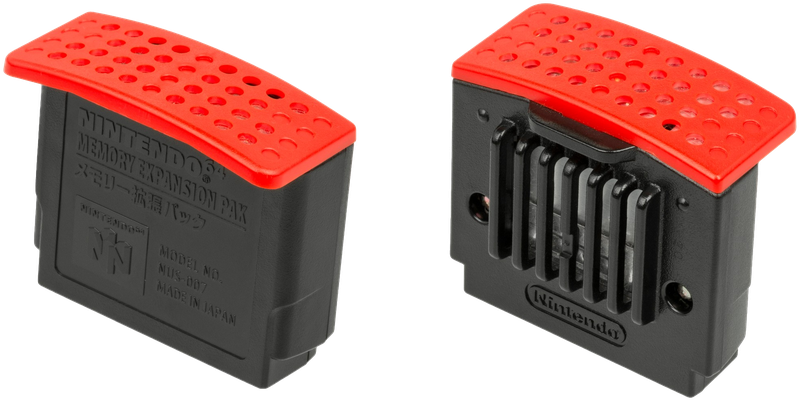
Make sure to select your platform in "Platform Mode [MODE]" under the "Misc [MISC]" category.
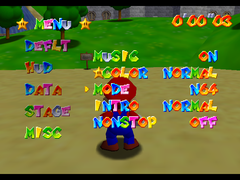
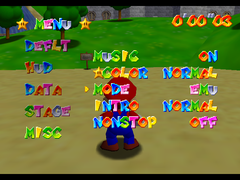
For EverDrive-64 v1 / v2 / v2.5 / X5 Users
Section titled “For EverDrive-64 v1 / v2 / v2.5 / X5 Users”Usamune ROM settings are written to the SD card as soon as they are saved.
However, the game's save data is written only when you reset the console, so you MUST reset the console before turning it off to keep your game progress.
This is a hardware limitation and has nothing to do with the Usamune ROM.
For Project64 Users
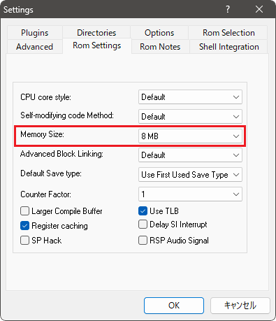
Section titled “For Project64 Users”You MUST set "Memory Size" to "8 MB" in "Rom Settings" for the ROM to work properly.
Reopen the ROM after changing the settings to apply them.
Emulator setup guide by wermi: https://wermi.neocities.org/emuguide/
SD Card Features
Section titled “SD Card Features”When an SD card is available, the settings are saved to the /Usamune ROM/ folder at the root of the SD card.
Some functions require an SD card to save their settings.
To disable the SD card features, change sd_enabled=1 to sd_enabled=0 under [Global.System] in /Usamune ROM/usamune-{region}.ini.